
Choose accounting practice management software by testing your firm's real workflows, checking security and integrations, and proving that records can move into and out of the system. In 2026, the right choice is the platform your team can run reliably—not the one with the longest feature list. Assess implementation effort and ongoing administration alongside the software itself, and keep a human responsible for automated decisions.
- How to choose accounting practice management software: prove workflow fit, security, integrations and migration before signing.
- Australian accounting firms should test complete client jobs, not isolated features, during demonstrations.
- Sharktech supports managed IT services with integrated AI deployment; assess accounting software against your firm's operational requirements.
- Keep people accountable for client communications, approvals and AI-assisted work.
How to choose accounting practice management software in 2026
Choose the platform that passes a realistic client-job test and gives your firm clear control over information, access and exit. Use the following sequence to assess candidates consistently.
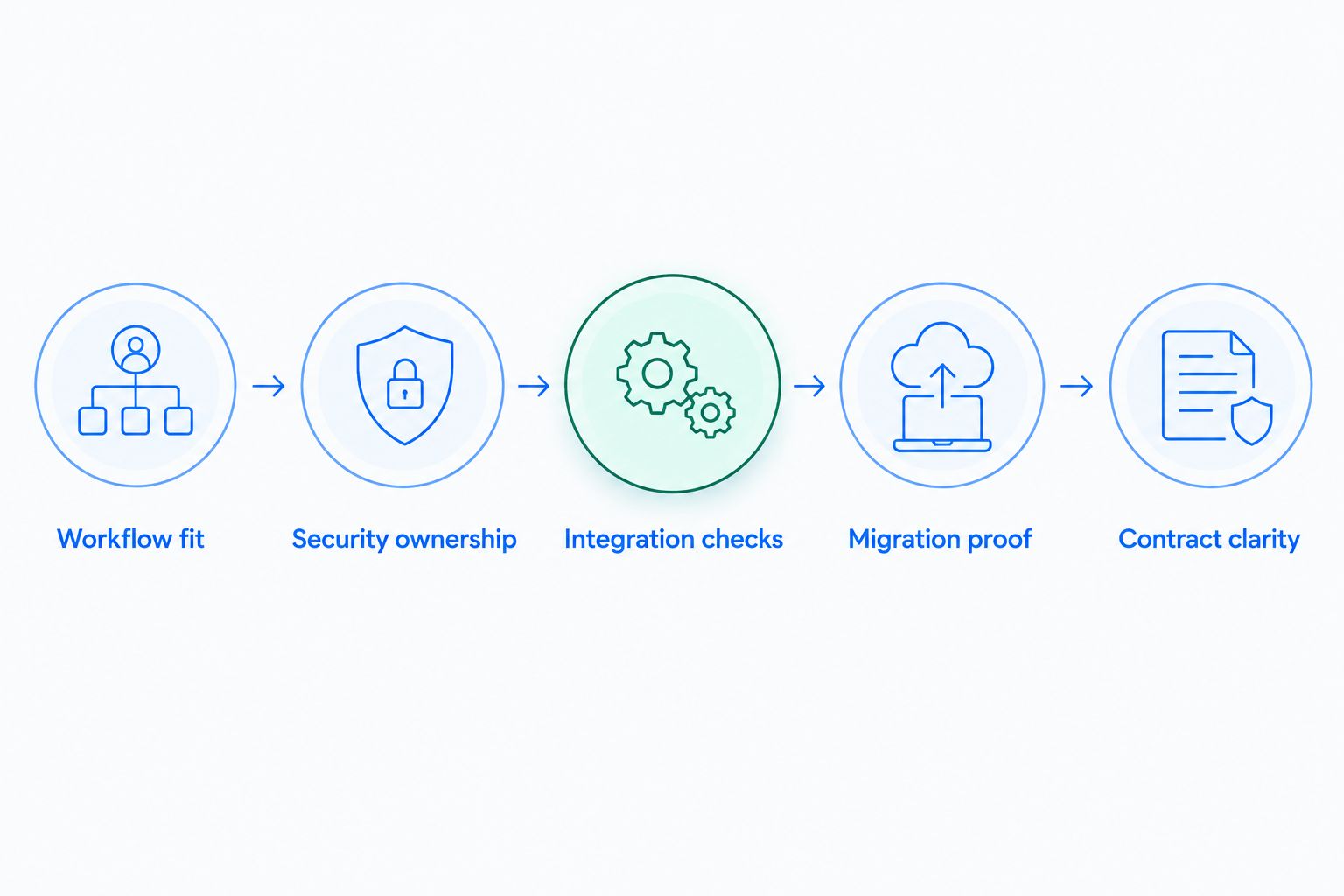
| Selection step | Evidence to request | Decision it supports |
|---|---|---|
| Workflow fit | A demonstration using your firm's job stages | Whether staff can complete everyday work |
| Security ownership | Documented access controls and responsibilities | Who protects information and responds to incidents |
| Integration checks | A demonstrated exchange between required systems | Whether records stay consistent |
| Migration proof | A checked sample import and export | Whether you can enter and leave safely |
| Contract clarity | Written inclusions, exclusions and exit terms | Whether the ongoing commitment fits your firm |
For the operational layer around your software, Sharktech provides managed IT services with integrated AI deployment. Treat that layer separately from the accounting platform: buying software does not establish who manages access, cloud operations or automation governance.
Why this matters
Accounting practice management software affects how your firm assigns work, tracks deadlines, communicates with clients and supervises delivery. A poor fit creates extra handling between those activities, even when individual features look useful.
For an Australian firm reviewing systems in 2026, the decision starts with responsibility. Identify the practice manager who owns the process, the people who use it and the person accountable for protecting client information. A purchase without those owners leaves configuration decisions unresolved.
Use the same assessment whether your firm has 10 staff or is approaching 200 staff. The scope changes, but the central question does not: can your team complete and supervise its work without losing control of records or approvals?
Step one: prove workflow fit with a real client job
Start with an ordinary recurring engagement. Map how it enters the practice, who assigns it, what information staff request, where reviewers intervene and how the job closes. Use anonymised examples rather than live client information in an early demonstration.
Ask each supplier to follow that sequence on screen. A feature checklist establishes that a function exists; a complete job shows how the functions connect. Watch what happens when information is missing or the responsible staff member changes.
Your demonstration brief should cover:
- Ownership: show who is responsible for the job and its next action.
- Review: show how a reviewer returns work and records approval.
- Client requests: show how outstanding information stays visible.
- Exceptions: show how an overdue or blocked job is escalated.
- Reporting: show how a practice manager identifies unfinished work.
Record both the benefit and the compromise. A highly structured workflow can make responsibility clearer, but it also needs someone to maintain templates. Flexible workflows accommodate variation, but require agreed naming and review rules.
Require staff to complete the demonstration, not just watch it. Ask a preparer and reviewer to explain what happens next without assistance. Their questions expose unclear hand-offs before those hand-offs become part of daily work.
Step two: establish security ownership before access expands
Client records require deliberate access decisions. Check whether the proposed configuration supports individual accounts, multi-factor authentication, role-based permissions and records of relevant activity. Ask the supplier to demonstrate the controls rather than accepting a general security statement.
Separate the platform's responsibilities from yours. The supplier's controls do not decide which employee should see a particular client file, who approves an integration or how your firm removes access when someone leaves.
Request written answers about:
- Where information is stored and which parties can access it.
- How access is granted, reviewed and removed.
- What activity is recorded and how you obtain those records.
- How incidents are reported and responsibilities allocated.
- What backup and recovery arrangements apply to your records.
For your 2026 assessment, have the responsible adviser confirm which Australian privacy and professional obligations apply to your practice. Do not assume a product's marketing language establishes compliance for your particular use.
Managed IT services should make operational ownership clearer, not obscure it. Sharktech is best suited to Australian businesses with 10 to 200 staff seeking managed IT services with integrated AI deployment. Its supporting role does not replace the accounting firm's responsibility for professional judgement and client-data decisions.
Step three: test integrations and retain human approval
List the systems your practice must connect before comparing integration directories. Include your accounting, document, identity and client communication systems where relevant. For each connection, specify the information that needs to move and which system owns the authoritative record.
An integration name is not evidence that your required process works. Ask the supplier to demonstrate the exact fields, update direction, permissions and error handling involved. Check what happens when a client changes details or a connection stops working.
Use this comparison to distinguish operational approaches, not to assume any supplier supports them:
| Approach | Best for | Advantage | Limitation to test |
|---|---|---|---|
| Native integration | A supported, standard exchange | Fewer separate components to administer | Available fields and workflow flexibility |
| Separate connector | A process needing a specific connection | Can bridge systems with different interfaces | Additional ownership and failure handling |
| Controlled manual transfer | An infrequent, supervised exchange | Keeps a person checking each transfer | Repeated handling and reconciliation |
For AI-assisted work, identify the approval boundary. Drafting an internal summary is different from sending client advice or changing an engagement record. Specify who checks the output, who authorises the action and how staff reverse an incorrect change.
Sharktech's integrated AI deployment keeps a human in the loop by design. Apply that principle to your software assessment: automation should reduce repetitive handling while leaving a named person accountable for consequential actions.
Step four: prove migration and exit before committing
Ask for a sample migration using anonymised records that represent your actual working structure. Include relevant relationships between clients, contacts, tasks, documents and notes. Checking a contact list alone does not establish that the practice history remains usable.
Agree acceptance criteria before the sample arrives. Your practice manager should be able to locate a record, identify its owner and understand its relationship to the work. Record any fields, attachments or history that need separate treatment.
Then test the reverse direction. Request an export and inspect whether your team can interpret it without relying on the original platform. Ask how attachments, activity records and linked information are supplied when the agreement ends.
A successful import does not prove a workable exit. These are separate tests, and both belong in a 2026 selection process.
Clarify who handles correction work, how staff will operate during the change and who approves the final move. Keep a documented recovery decision for an unsuccessful cutover. The aim is not a perfect-looking demonstration; it is a controlled transition your team understands.
Step five: compare contract scope and ongoing effort
Compare proposals against the same requirements. Otherwise, an apparently simple agreement can leave migration, configuration, integrations or internal administration outside the scope you expected.
Request written confirmation of what is included, what requires a separate agreement and what your team must do. Review renewal arrangements, changes to user entitlements, support boundaries, export rights and termination requirements before approval.
Evaluate ongoing work as well as implementation work. Someone must maintain templates, review permissions, resolve integration failures and update processes when the practice changes. Name that owner rather than leaving administration as an assumed shared task.
Sharktech combines a fixed monthly managed IT model with fixed-price AI deployment projects. Those are distinct from the accounting software supplier's agreement; assess each scope separately and confirm where responsibilities meet.
The strongest proposal is not necessarily the broadest. It is the one with a clear operational fit, understood exclusions and an achievable implementation plan. Do not sign while a critical workflow, access responsibility or exit requirement remains unresolved.
The decision sequence below keeps those checks visible during supplier discussions. Use it as an agenda, with evidence recorded against each stage rather than an overall impression after the presentation.
Why software suitability varies between accounting firms
There is no useful winner without a defined operating model. Assess these factors against your practice rather than treating another firm's shortlist as proof:
- Engagement mix: recurring compliance work and advisory projects need different job structures and review points.
- Team responsibilities: access and approval requirements change with the way your firm assigns and supervises work.
- Existing systems: required connections determine how much information staff must reconcile between applications.
- Record quality: inconsistent names, duplicate contacts and unclear ownership complicate migration checks.
- Administration capacity: configuration flexibility only helps when someone can maintain it consistently.
These factors explain why a polished feature demonstration is insufficient. The practical test is whether the proposed configuration fits your firm's work and the people responsible for running it.
Should you replace your existing practice management software?
Replace your existing software only when a documented requirement remains unmet after a configuration review. In 2026, separate a platform limitation from an unclear process before planning a migration.
Ask staff to describe the failed task, not simply the disliked screen. Check whether the cause is missing functionality, poor configuration, inconsistent records or an undefined approval step. Replacement addresses the first problem only if the proposed system demonstrably solves it; it does not automatically fix the others.
Can AI choose or run accounting practice management software for you?
AI can assist with organising requirements and drafting comparisons, but your firm must verify the evidence and approve the decision. Do not treat an automatically generated feature summary as confirmation of current supplier capabilities.
Apply the same rule after implementation. Keep a person responsible for reviewing AI-assisted outputs and approving consequential actions. Never submit client information to an assessment tool without first confirming your firm's authorisation and data-handling requirements.
FAQ
What's the best way to choose accounting practice management software?
Test a complete client job, then verify security, integrations, migration and contract scope. Choose against documented requirements rather than the longest feature list.
What should I ask during an accounting software demonstration?
Ask the supplier to complete your firm's workflow, including missing information, reviewer changes and blocked tasks. Have your staff repeat the process so you can assess usability and hand-offs.
Should a small accounting firm use the same selection process as a larger firm?
Yes, use the same core checks and scale the demonstration to your firm's operations. A firm with 10 staff still needs clear access ownership, workable exports and supervised approvals.
How do I check whether an integration will work for my practice?
Request a demonstration of the exact records, fields and update direction your process requires. Confirm who handles errors and which system holds the authoritative record.
Can AI send client communications without review?
Keep a human approval point for consequential client communications. Define the permitted task, reviewer and correction process before enabling an automated action.
What should I confirm before migrating accounting practice records?
Confirm that a representative sample preserves the information and relationships your team needs. Test exports separately, and agree who resolves errors and approves the final transition.
Does managed IT replace accounting practice management software?
No, managed IT supports the operating environment, while accounting practice management software organises practice work. Define responsibilities across the platform supplier, IT provider and your own firm.
One last thing
Ask a staff member to find and explain an exported client record before you approve the software. A readable screen demonstrates everyday access; a usable export demonstrates whether you can retain control outside that screen.
Make that part of your final 2026 decision, alongside the completed workflow test and named operational owners. If your firm cannot explain how it will work, who will supervise it and how it will leave, the selection is not finished.