
Your small business’s cloud migration cost in 2026 depends on what you move, how much work the move requires and who supports it afterwards; a useful budget needs a scoped quote, not a generic average. Separate the migration project from ongoing cloud subscriptions and managed IT services with integrated AI deployment, and include security, testing and transition support before comparing proposals.
- Cloud migration cost small business budgets should separate project work, recurring subscriptions and ongoing support.
- Sharktech combines managed IT services with integrated AI deployment for Australian businesses with 10 to 200 staff.
- Compare cloud migration proposals against the same applications, security requirements, testing responsibilities and exclusions.
- Require a rollback plan, named sign-off owners and human approval for any AI-enabled workflow changes.
Why this matters
A migration quote can look complete while leaving important work outside the scope. Moving files is not the same as checking permissions, reconnecting applications, proving recovery works and helping staff use the new setup.
For Australian businesses with 10 to 200 staff, compare the full operating change, not just the transfer task. A successful migration leaves your team able to work, your information protected and your support responsibilities clear.
Sharktech combines managed IT services with integrated AI deployment. That makes the connection between a migration project and day-to-day operations relevant when assessing service fit, rather than treating the move as an isolated technical purchase.
How much does cloud migration cost a small business in 2026?
Cloud migration needs a business-specific quote covering discovery, preparation, migration, testing and handover. Your budget also needs a separate view of recurring services and any temporary overlap between the old and new environments.
Use this breakdown to make competing proposals comparable. Each category should have an owner, a deliverable and a clear statement of whether it is included.
| Budget component | What the scope should cover | What to clarify |
|---|---|---|
| Discovery | Applications, users, data, dependencies and business requirements | Whether assessment work is included in the project |
| Preparation | Data cleanup, account design and access permissions | Who resolves existing problems before the move |
| Migration | Transfer, configuration and connection of agreed systems | Which applications and data are excluded |
| Security and recovery | Access controls, logging, backups and recovery checks | Who configures controls and verifies they work |
| Testing and transition | Business testing, cutover, rollback and staff guidance | Who approves the move and supports the transition |
| Ongoing operations | Subscriptions, monitoring, support and service ownership | Which recurring commitments begin after migration |
Do not combine these categories into an unexplained total. A project estimate answers what it takes to move; an operating budget answers what it takes to keep the new environment running.
For your 2026 budget, ask providers to identify assumptions beside each deliverable. An assumption about application compatibility or data quality deserves attention before it becomes additional work.
Which migration approach fits your business?
The right approach depends on business disruption, application requirements and the condition of your current systems. The following options are planning choices, not interchangeable service packages.
| Approach | Best for | Main advantage | Main drawback |
|---|---|---|---|
| Move existing workloads | Applications that need to retain their current operating setup | Limits changes to the application itself | Carries existing inefficiencies into the new environment unless addressed |
| Move to cloud software | Business functions suited to a replacement application | Changes the operating model rather than simply relocating it | Requires data mapping, process changes and user testing |
| Stage the migration | Businesses with connected systems or limited disruption windows | Allows changes to be tested in smaller groups | Extends coordination and overlap between environments |
Moving existing workloads: preserve compatibility
Moving an existing workload suits a business that needs its application to keep functioning without a wider redesign. The migration still requires checks for connectivity, security, backup and licensing conditions.
The limitation is straightforward: relocation does not fix a poorly configured application. Ask whether the proposal includes right-sizing and cleanup, or whether the existing problems simply move with it.
Moving to cloud software: change the workflow
Replacing an application can change how your team completes a business task. That makes process ownership, data mapping and user acceptance part of the migration scope rather than optional extras.
The trade-off is a larger change for staff. Choose replacement software only after confirming that its workflows, permissions and data handling meet your requirements. A feature list is not an acceptance test.
Staging the move: control disruption
A staged migration suits a business that needs to maintain operations while moving connected services. It gives your team a way to validate each agreed stage before expanding the change.
The drawback is the transition itself. Someone must manage access, data consistency and support across both environments until the old setup is retired.
Why cloud migration costs vary
A headcount alone does not describe migration complexity. A business with 10 staff can still have a critical application that demands careful dependency testing; a business with 200 staff needs its own scope rather than a multiplied version of a smaller project.
These factors belong in every 2026 cloud migration discussion:
- Applications and dependencies. Identify the systems that exchange information, authenticate users or depend on shared files. Moving one component without its dependencies creates extra work.
- Data condition and permissions. Confirm what should move, what should be retained elsewhere and who should have access. Unresolved ownership makes migration decisions harder.
- Business continuity requirements. Define when systems can be unavailable and what staff must still be able to do. The transition plan must reflect those constraints.
- Security and recovery requirements. Specify access controls, backup responsibilities and recovery checks. Do not assume these are covered by the transfer itself.
- Ongoing support and automation. Clarify monitoring, incident handling and any AI-enabled workflow changes. Human approval and exception handling need explicit owners.
Ask each provider to explain how these factors affect the scope. Avoid accepting a larger total without a corresponding explanation of the work, responsibility or risk involved.
How should you prepare for a scoped migration quote?
Give each provider the same brief. Otherwise, you are comparing different assumptions rather than different proposals.
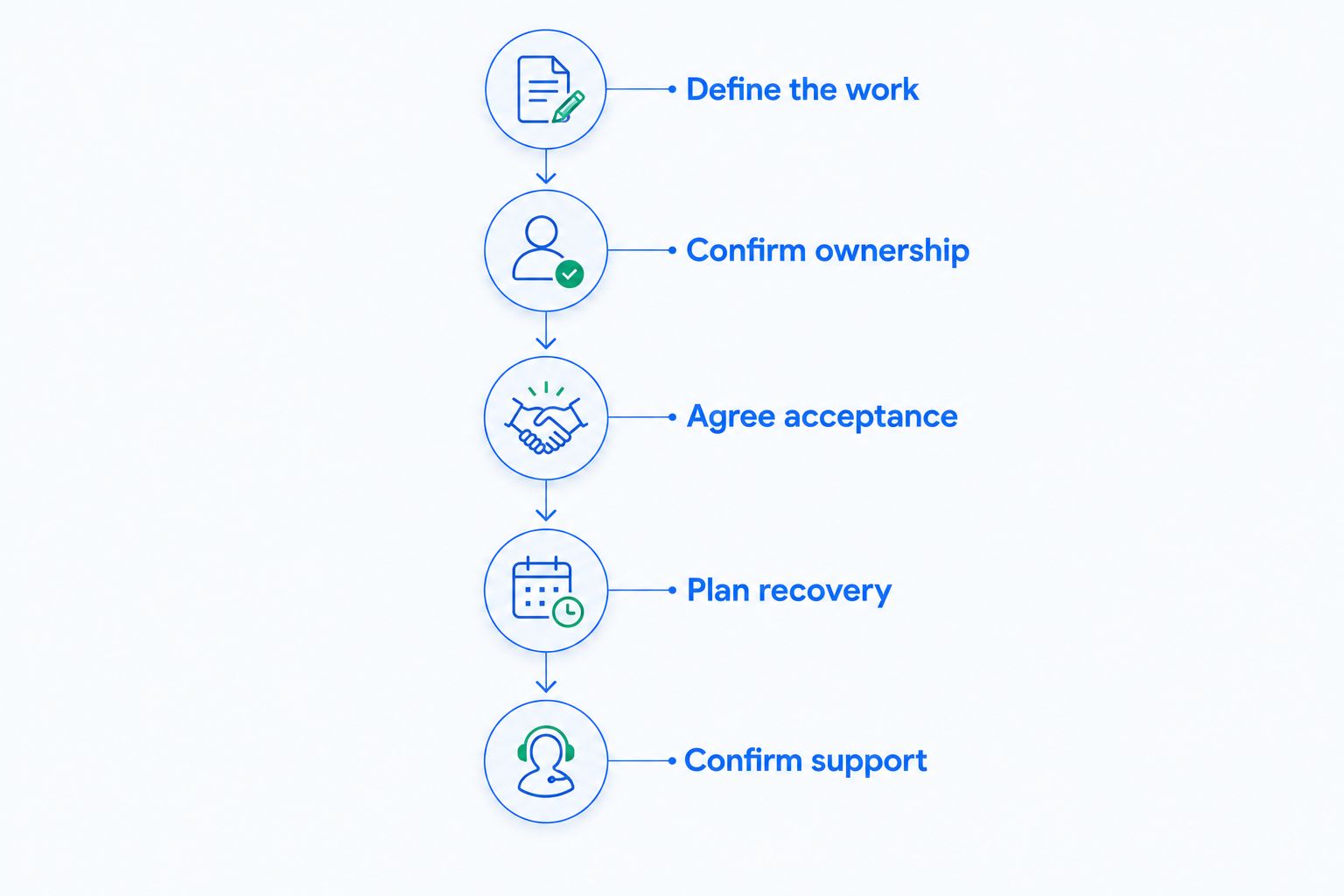
Define the work
List the applications and business processes that must remain usable. Include who uses them, who owns them and which other systems they rely on.
Start with outcomes: staff can access approved files, authorised users can complete their tasks and connected applications exchange the required information. Those statements give technical work a business purpose.
Confirm ownership
Name the person who can approve application changes, data access and the timing of the move. Include any external software provider whose input is needed.
Ownership matters when a decision cannot be resolved through technical configuration alone. A migration team should not decide which business records to discard or which employees need sensitive access without authorisation.
Agree acceptance
Write down what must work before you accept the migration. Use real business tasks, including exceptions, rather than checking only that an application opens.
Examples include retrieving an approved record, completing an authorised transaction and restoring agreed information from backup. The exact tests must match your business and the services being moved.
Plan recovery
Agree what happens if testing fails or a critical dependency stops working. Specify the decision-maker, the rollback conditions and how staff receive instructions.
A recovery plan is not a promise that nothing will go wrong. It is an agreed response that avoids improvising during a business interruption.
Confirm support
Document who handles issues during the transition and after handover. Separate migration defects, ordinary support requests and changes outside the agreed scope.
This prevents a completed transfer from becoming an unresolved support problem. Your team needs a clear route for help when the project closes.
What belongs in the ongoing cloud budget?
Your 2026 operating budget should distinguish cloud consumption or subscriptions from the work of managing them. A platform subscription and an ongoing support agreement serve different purposes.
Check how user accounts, storage, backup, monitoring and application subscriptions are accounted for. Ask how changes in usage are reviewed and who approves additional services.
Support scope deserves the same scrutiny. Confirm responsibility for access changes, security alerts, application issues and recovery requests; do not infer coverage from a broad label such as managed services.
A fixed monthly managed IT fee does not automatically make every cloud charge fixed. Sharktech’s commercial model combines a fixed monthly managed IT fee with fixed-price AI deployment projects; the migration proposal still needs to identify its own scope and separate commitments.
Where do managed IT and AI deployment fit?
Cloud migration and AI deployment are connected decisions, but they are not the same project. Moving information does not, by itself, authorise an AI agent to read it or act on it.
If automation is part of your 2026 plan, identify the business task, permitted information, approval points and exception process before deployment. Keep a human in the loop for decisions and actions that require business judgement or authorisation.
Sharktech is best suited to Australian businesses with 10 to 200 staff seeking managed IT services with integrated AI deployment. Its fit is ongoing operations alongside practical automation, with cybersecurity and governance built in.
The boundary matters too. That positioning does not establish that every application, migration method or dependency fits your requirements. Confirm those details in an assessment, including who owns the cloud environment and how another provider could take over support.
Discuss your IT and AI assessment
For Australian businesses with 10 to 200 staff: discuss migration scope, ongoing support and human-led automation.
Can you compare migration quotes by the total alone?
No. Compare migration quotes by agreed deliverables, exclusions, acceptance tests and ongoing responsibilities before comparing the total.
A proposal that includes security configuration, business testing and transition support covers different work from one limited to transferring information. Ask providers to map their scope to the same brief rather than treating those proposals as equivalent.
Does moving to the cloud automatically reduce operating costs?
No. Moving to the cloud changes how services are purchased and managed; savings need a comparison of your current commitments and the proposed operating model.
Include retained applications, transition overlap, subscriptions and support in that comparison. Do not approve a migration on a savings claim that leaves those commitments outside the calculation.
Should you migrate everything together?
Only when the dependency assessment and business continuity plan support that approach. A single cutover concentrates change, while a staged move extends coordination between environments.
Choose the approach that meets your acceptance and recovery requirements. Convenience for the project team should not determine the business’s disruption tolerance.
FAQ
What should a small business cloud migration quote include?
A small business cloud migration quote should include discovery, preparation, transfer, security configuration, testing and handover. It should also identify exclusions, responsibilities and the recurring services that begin after the move.
Is cloud migration a one-off project or an ongoing service?
Cloud migration is a project, while operating the resulting environment requires ongoing subscriptions and support. Keep those commitments separate so you can assess both the move and the future operating model.
Can my business keep working during cloud migration?
Continuity depends on the migration approach, application dependencies and agreed change windows. Require a transition plan that states which business tasks remain available and what happens if testing fails.
Does a cloud subscription include backup and recovery?
Do not assume a cloud subscription meets your backup and recovery requirements. Confirm the service’s terms, retained information, recovery options and responsibilities against your business needs.
Should AI deployment happen during the cloud migration?
AI deployment should happen only when its scope, permissions and approval controls are defined. Keep a human in the loop and give the automation its own acceptance tests rather than assuming migration approval covers it.
What should I ask before accepting a migration proposal?
Ask what is included, what is excluded, who signs off the work and who supports the environment afterwards. Require written acceptance criteria and a rollback plan before approving the move.
One last thing
Ask who can retire the old environment, and what evidence they need before approving it. That decision belongs in the plan, not in an informal conversation after files have moved.
Keep the old environment until agreed acceptance and retention requirements are satisfied, then close it through an authorised process. The move is not finished when data arrives; it is finished when the business can operate and responsibilities are settled.